Filling Triangles
We have a way to get all the pixels of the edges that form a triangle using only 3 vertices. We want to fill that triangle with a color now.
To achieve this we can use a type of algorithm called scanline rendering to draw row by row inside of the triangle area.
Scanline Rendering
The scanline algorithm goes row by row in the triangle, rendering pixel by pixel. We need to first sort all the pixels from the edges of the triangle by the y axis. Then we need to render all the pixels in between the edge pixels for the current y value.
We will need to keep track of all the points rendered when drawing the edge lines of the triangle. We will first create a convenient function that draws a triangle. Here we can create a list of points and fill it up will all the edge points.
void Renderer_DrawTriangle(Renderer *r, Vec2 vertices[3], uint32_t color) {
    Vec2 p1 = vertices[0];
    Vec2 p2 = vertices[1];
    Vec2 p3 = vertices[2];

    // Keeps track of all the points/pixels in the triangle
    std::vector<Vec2> points;

    Renderer_DrawLine(r, &points, p1, p2, color);
    Renderer_DrawLine(r, &points, p2, p3, color);
    Renderer_DrawLine(r, &points, p1, p3, color);

    Renderer_FillTriangle(r, &points, color);
}

...

void Renderer_DrawLineVertical(Renderer *r, std::vector<Vec2> *points,
                                 Vec2 p1, Vec2 p2, uint32_t color) {
    ...

    for (int y = p1.y; y <= p2.y; ++y) {
        Renderer_SetPixel(r, x, y, 0.0f, color);

        // Push the edges to the list
        Vec2 p = {(float)x, (float)y};
        points->push_back(p);

        if (d > 0) {
            x += xi;
            d = d + (2 * (dx - dy));
        } else {
            d = d + 2 * dx;
        }
    }
}

void Renderer_DrawLineHorizontal(Renderer *r, std::vector<Vec2> *points,
                                   Vec2 p1, Vec2 p2, uint32_t color) {
    ...

    for (int x = p1.x; x <= p2.x; ++x) {
        Renderer_SetPixel(r, x, y, 0.0f, color);

        // Push the edges to the list
        Vec2 p = {(float)x, (float)y};
        points->push_back(p);

        if (d > 0) {
            y += yi;
            d = d + (2 * (dy - dx));
        } else {
            d = d + 2 * dy;
        }
    }
}
Now, we can run the scanline algorithm with the edge points, first sorting them by their y axis:
void Renderer_FillTriangle(Renderer *r, std::vector<Vec2> *points,
                             uint32_t color) {
    if (r == nullptr) {
        return;
    }

    // Sort by y component
    std::sort(points->begin(), points->end(),
              [](const Vec2 &a, const Vec2 &b) { return a.y < b.y; });

    for (size_t i = 0; i < points->size() - 1; ++i) {
        Vec2 p1 = points->at(i);
        Vec2 p2 = points->at(i + 1);

        if (p1.y != p2.y) {
            continue;
        }

        if (p1.x == p2.x) {
            continue;
        }

        if (p1.x < p2.x) {
            for (int x = p1.x; x <= p2.x; ++x) {
                Renderer_SetPixel(r, x, p1.y, 0.0f, color);
            }
        } else {
            for (int x = p2.x; x <= p1.x; ++x) {
                Renderer_SetPixel(r, x, p1.y, 0.0f, color);
            }
        }
    }
}
Running the program we get a nice filled triangle. We have to first call the new function to draw a triangle.
uint32_t color = 0xFF0000;
Vec2 vertices[3] = {
  {60.0f, 80.0f},
  {110.0f, 50.0f},
  {120.0f, 90.0f},
};

Renderer_DrawTriangle(&gRenderer, vertices, color);
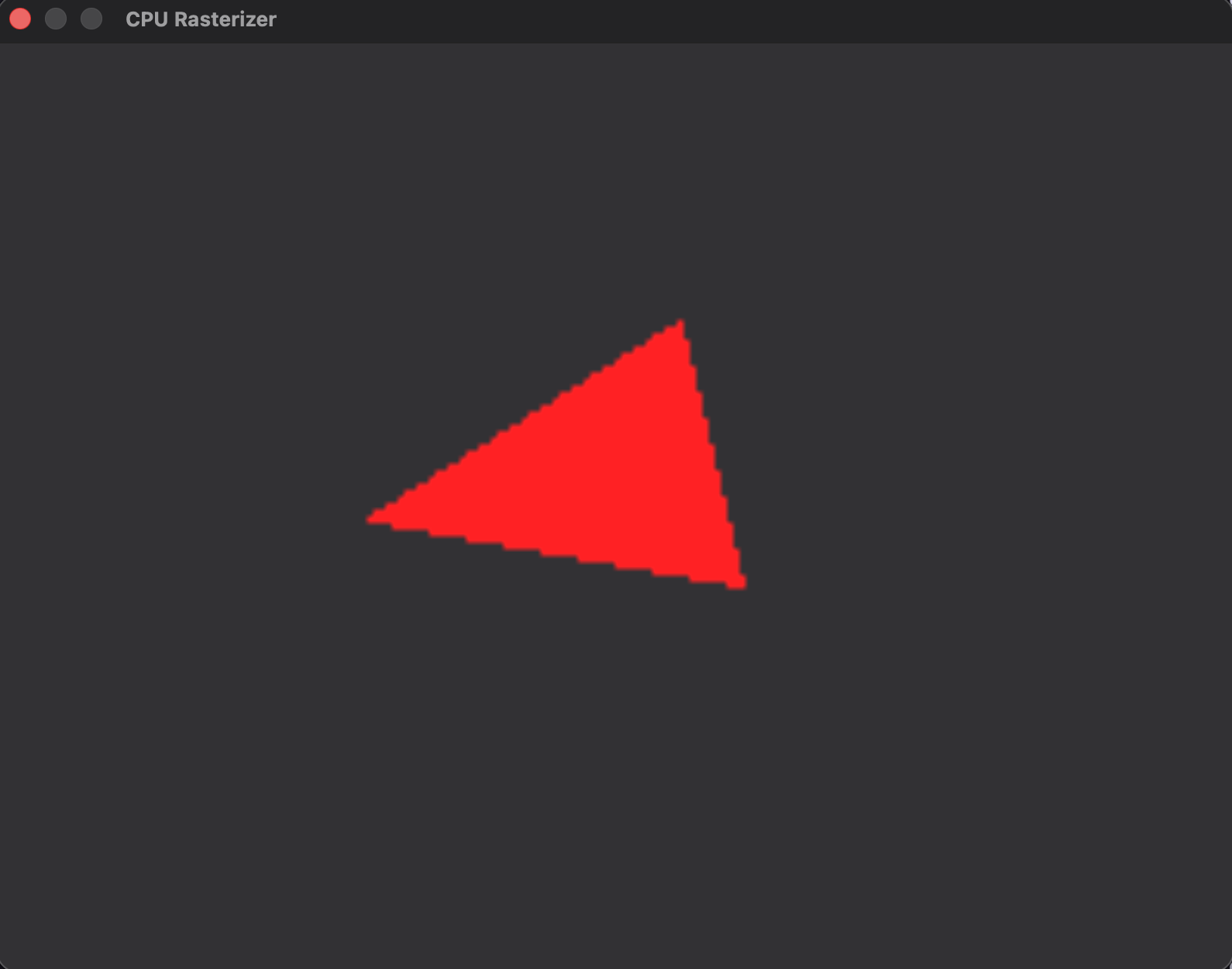
Drawing 2D objects like this triangle is quite simple. We could expand this program to interpolate the color and also add transformations to move the triangle in real-time. But right now we should move forward to the next part of this problem.
It’s now time to go further and render 3D objects. This is where the real challenge begins.