Color Spaces
Until now, we have been using a Hexadecimal value (expressed as a uint32_t) for the color. Which is fine, and is the value that will be set on the framebuffer/pixelbuffer and will be rendered at the end. This is not nice to work with, specially when we want to manipulate it or add some shading.
We want to explore here some other ways to represent colors that make it easier to work with.
RGB
RGB stands for Red, Green, and Blue. Every color can be represented by those 3 primary colors. We also add a fourth value, the Alpha which describes the opacity of the color.
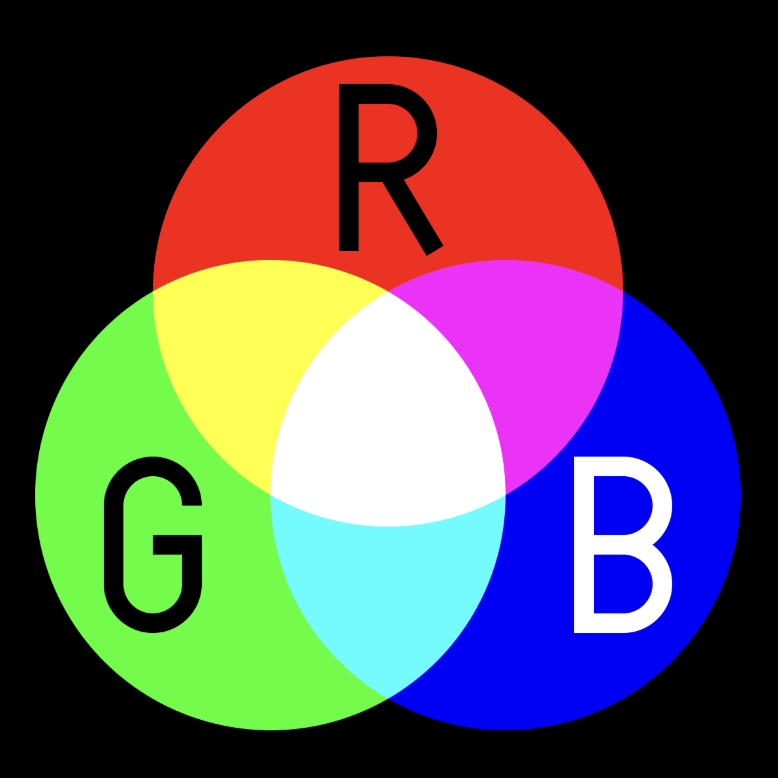
Each value goes from 0 to 255 where 0 means the value is not present and 255 means that the color is at it’s maximum amount. For the Alpha value, 0 means that the color is completely transparent and 255 means it is fully opaque.
We like to convert this value to an even easier value to work with. A value from 0 to 1 makes calculations simpler. This new representation is the fractional amount of a value or the percentage of the value. Note that the color white is represented with {1.0f, 1.0f, 1.0f} and the value black is represented with {0.0f, 0.0f, 0.0f}.
struct ColorRGBA {
    float r;
    float g;
    float b;
    float a;
};
The Renderer_SetPixel(Renderer *r, int x, int y, float z, uint32_t color) accepts an integer number for the color value. This means that we have to convert from the RGBA color to the uint32_t color.
uint32_t ColorRGBAToInt(ColorRGBA color) {
    uint8_t red = static_cast<uint8_t>(std::min(color.r * 255.0f, 255.0f));
    uint8_t green = static_cast<uint8_t>(std::min(color.g * 255.0f, 255.0f));
    uint8_t blue = static_cast<uint8_t>(std::min(color.b * 255.0f, 255.0f));
    uint8_t alpha = static_cast<uint8_t>(std::min(color.a * 255.0f, 255.0f));

    return (alpha << 24) | (red << 16) | (green << 8) | blue;
}
sRGB
Standard RGB or sRGB is a specific color space that defines the precise shades of red, green, and blue to use. This color space standardizes the color that will be displayed on the different screens/devices.
We can convert to sRGB by applying the following formula:
float LinearToSRGB(float linear) {
    if (linear <= 0.0031308f) {
        return 12.92f * linear;
    } else {
        return 1.055f * powf(linear, 1.0f / 2.4f) - 0.055f;
    }
}

ColorRGBA ColorToSRGB(ColorRGBA linear) {
    return (ColorRGBA){
        .r = LinearToSRGB(linear.r),
        .g = LinearToSRGB(linear.g),
        .b = LinearToSRGB(linear.a),
        .a = linear.a,
    };
}
To convert back from sRGB to RGB we can apply the following:
float SRGBToLinear(float sRGB) {
    if (sRGB <= 0.04045f) {
        return sRGB / 12.92f;
    } else {
        return powf((sRGB + 0.055f) / 1.055f, 2.4f);
    }
}

ColorRGBA ColorToLinear(ColorRGBA sRGB) {
    return (ColorRGBA){
        .r = SRGBToLinear(sRGB.r),
        .g = SRGBToLinear(sRGB.g),
        .b = SRGBToLinear(sRGB.a),
        .a = sRGB.a,
    };
}
We will do all the color math (blending, lighting calculations) in linear space, and then convert to sRGB only when writing to the framebuffer.
HSL
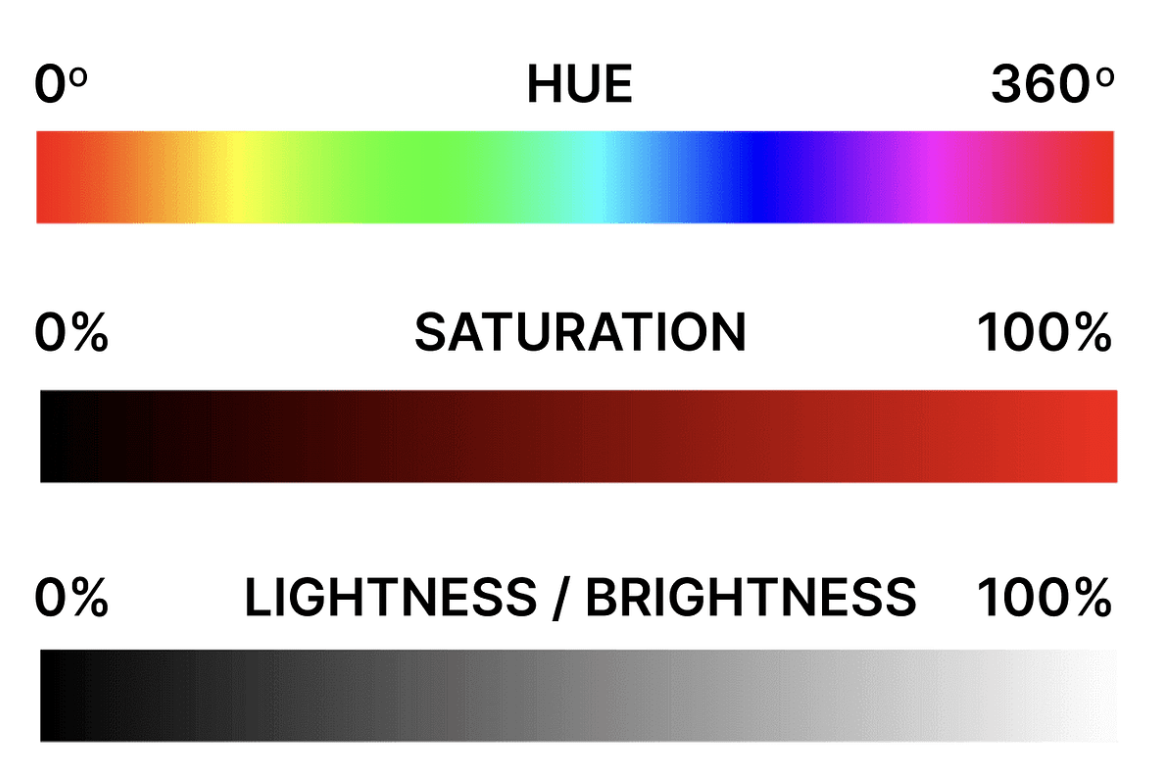
Just like RGB, HSL is another way to represent colors but it is more intuitive for humans. HSL stands for Hue (color type) Saturation (intensity), and Lightness (brightness). They describe the exact same set of colors, just using different coordinates.
There are more color representations that we will not cover in this guide. In this guide we will only use RGBA colors and play around with sRGB color space.